
For school districts, private schools and charter schools
Everything your families need to know, in your school’s own app.
School Courier puts alerts, classroom posts, calendars, sports and safe messaging in one private app with your school’s name on it. Staff stay in control, and nothing you post lands on the public web.
A 30-minute walkthrough with a real person. Most schools are live in about two weeks.
Velora School Districtnow
Example alert: Early dismissal at 1:00
- About 2 weeks
- from go-ahead to a live app, with setup and staff training included
- $25,000+
- raised by one school with the built-in supporter tools, all of it kept by the school
- About 20 seconds
- for a parent to sign in, with no password to forget
- iPhone, Android and web
- published under your school’s name, in your colors
One school day, one app
Here is what a single day looks like when alerts, posts, the calendar, messages and sports all arrive in the same place. Each moment lists the features behind it.
-
6:04 a.m.
Velora School District6:04 a.m.
Two-hour delay today
Buses run two hours late. Morning pre-K is canceled.
A closing reaches every family before the alarm does
One send from an administrator goes out every way a family can be reached, and the record of what was sent stays put.
- Mass alerts
- Push, text and email from a single send, plus an automated call to anyone a text can’t reach.
- Push notifications
- Delivered on iOS and Android even when the app is closed.
- Alert history
- Every alert from the past year, kept in one place.

-
8:20 a.m.
Maple Union PTA8:20 a.m.
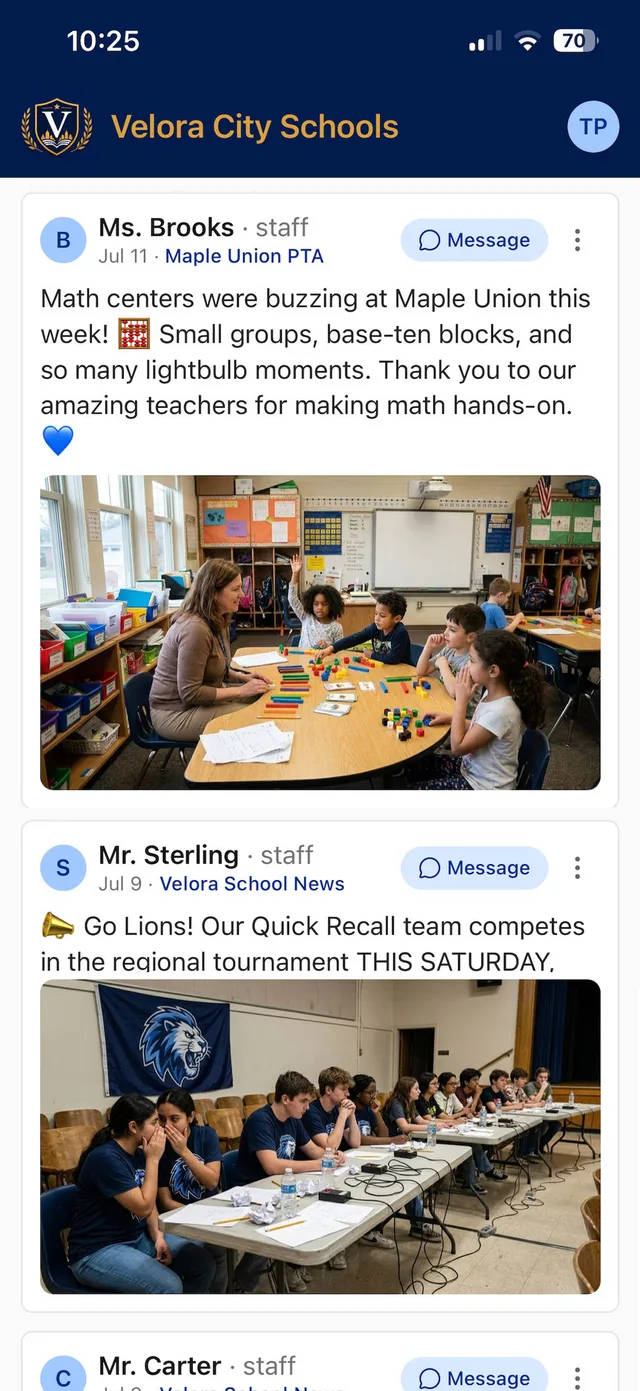
Ms. Brooks posted
Math centers were buzzing at Maple Union this week!

Classroom moments, posted before the bell
A teacher takes a photo, adds a line and posts to her classroom group in seconds. It goes to the families who follow that group, and nowhere else.
- My Feed
- Each family follows only the classrooms, teams and clubs they choose.
- Rich posts
- Up to 25 photos per post, published in seconds.
- Writing Help
- Five modes, including translation into 10 languages.
- Scheduled & pinned posts
- Write now, publish later, and keep a key update on top.

-
11:45 a.m.
Velora High School11:45 a.m.
Reminder: volleyball match tomorrow
5:30 p.m. at Velora High School.
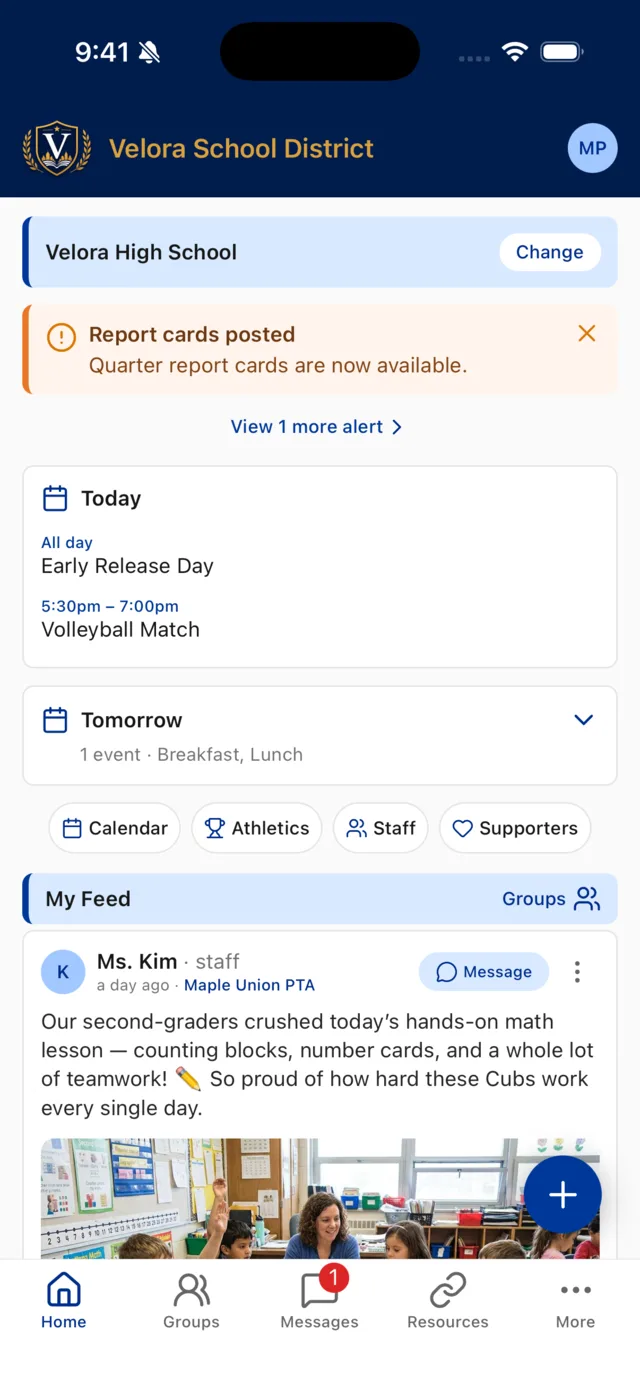
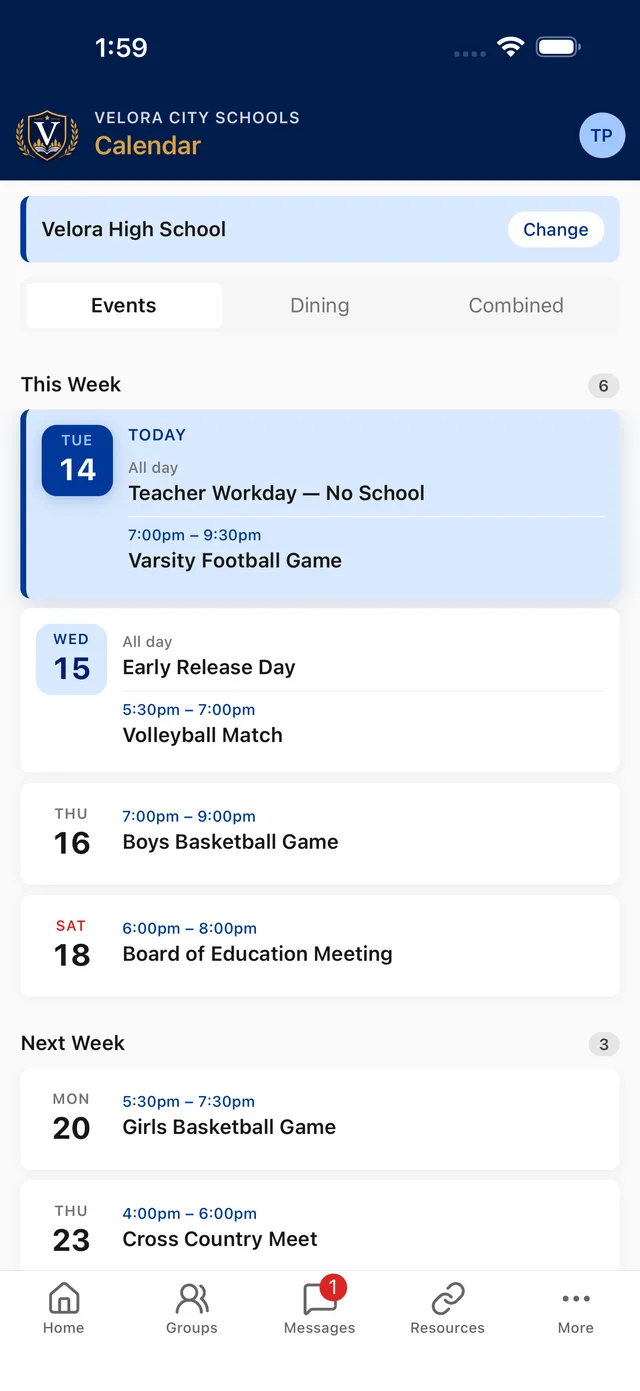
The calendar answers the question before it’s asked
Early release, the lunch menu, tomorrow’s match: it’s all in the app, and one tap puts it on a parent’s own calendar.
- Calendar & dining
- School or district-wide events, added to a phone calendar in one tap.
- Group calendars
- Team and club leaders run their own events.
- Event reminders
- A day-before nudge for group calendar events.
- Google Forms
- Permission slips and class forms attached to a post.
-
3:40 p.m.
Ms. Powell3:40 p.m.
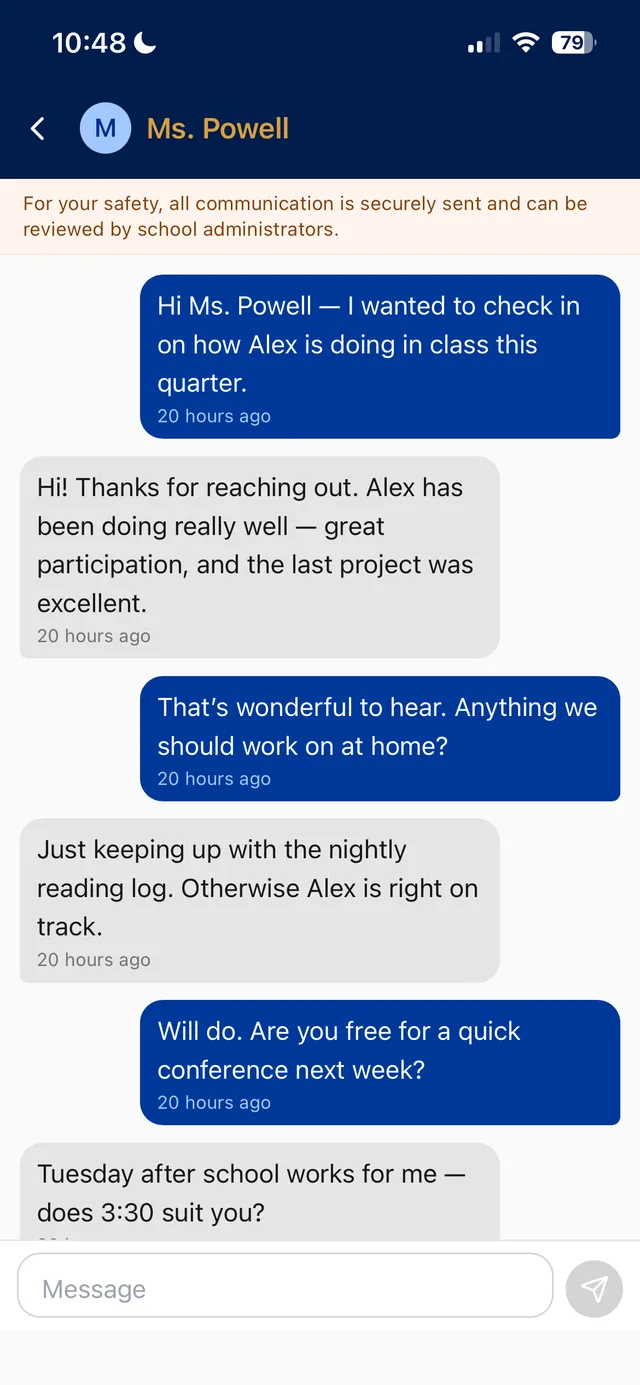
New message
Thanks for reaching out. Alex has been doing really well…
A parent’s question reaches the teacher, on the record
Families message staff and coaches inside the school’s app. Nobody trades personal phone numbers, and administrators can review any conversation.
- Safe private messaging
- Every message is tracked and reviewable.
- Account-type access control
- Students and parents can’t message one another.
- Staff office hours
- After-hours messages can wait, and families see the hours.
- Photos & read receipts
- Attach a photo and see when a message was read.
-
7:45 p.m.
Velora High Football7:45 p.m.
Mr. Nolan posted
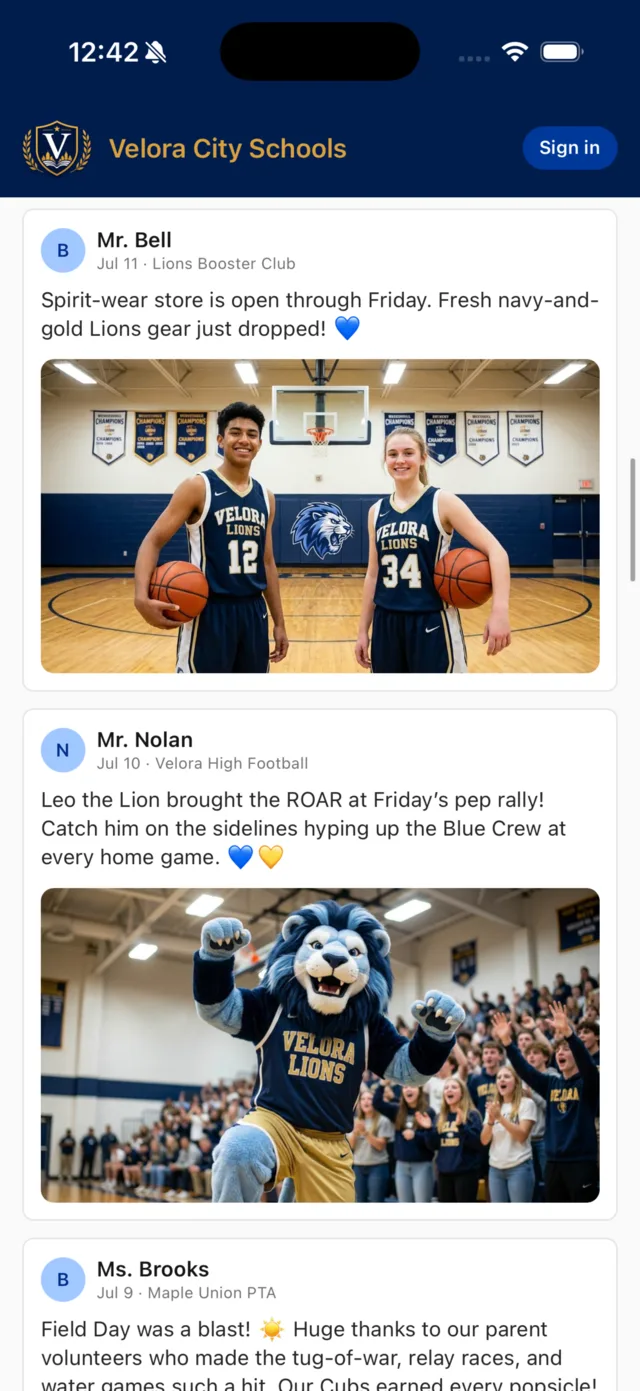
Leo the Lion brought the ROAR at Friday’s pep rally!
Game night, from the schedule to the final score
Schedules, rosters, directions and results sit beside each team’s posts, so the whole community knows where to be and how it went.
- Sports & schedules
- Rosters, headshots, records, scores and directions.
- Athletics on the calendar
- Games flow into the school calendar automatically.
- Supporters & sponsors
- Recognize the local backers behind your teams.

Want to see this day with your own schools in it? We’ll build the walkthrough around your buildings, teams and groups.
Request a demoExamples show Velora, our demonstration district. Notification wording is illustrative.
Staff decide who posts, who joins and who sees what
Staff and leaders publish instantly. Parents and students you invite to help post through a leader’s approval, so nothing reaches your community without a staff sign-off.
- Private groups: join by 8-digit passcode, or by a request a leader approves in the app.
- Never on the public web: no search indexing and no scraping. You choose how open the app is, from public groups to a fully code-gated experience.
- Retention & oversight: messages and posts are kept for review, and district admins can see and join every group.
- Report & block: flag a post or block a user in two taps. Every report is reviewed.
| Role | Posts | Comments |
|---|---|---|
| Owner One per group | Instantly | Instantly |
| Leader Teachers, coaches, advisors | Instantly | Instantly |
| Contributor Classroom parents, team parents, students | After approval | After approval |
| Member Families and followers | No | After approval |
Owners can change any of this group by group, or apply a preset: Trusted, Moderated, or Read & react. Leaders get Approve and Deny in the app, a Pending approvals list, and a reminder if something is left waiting.
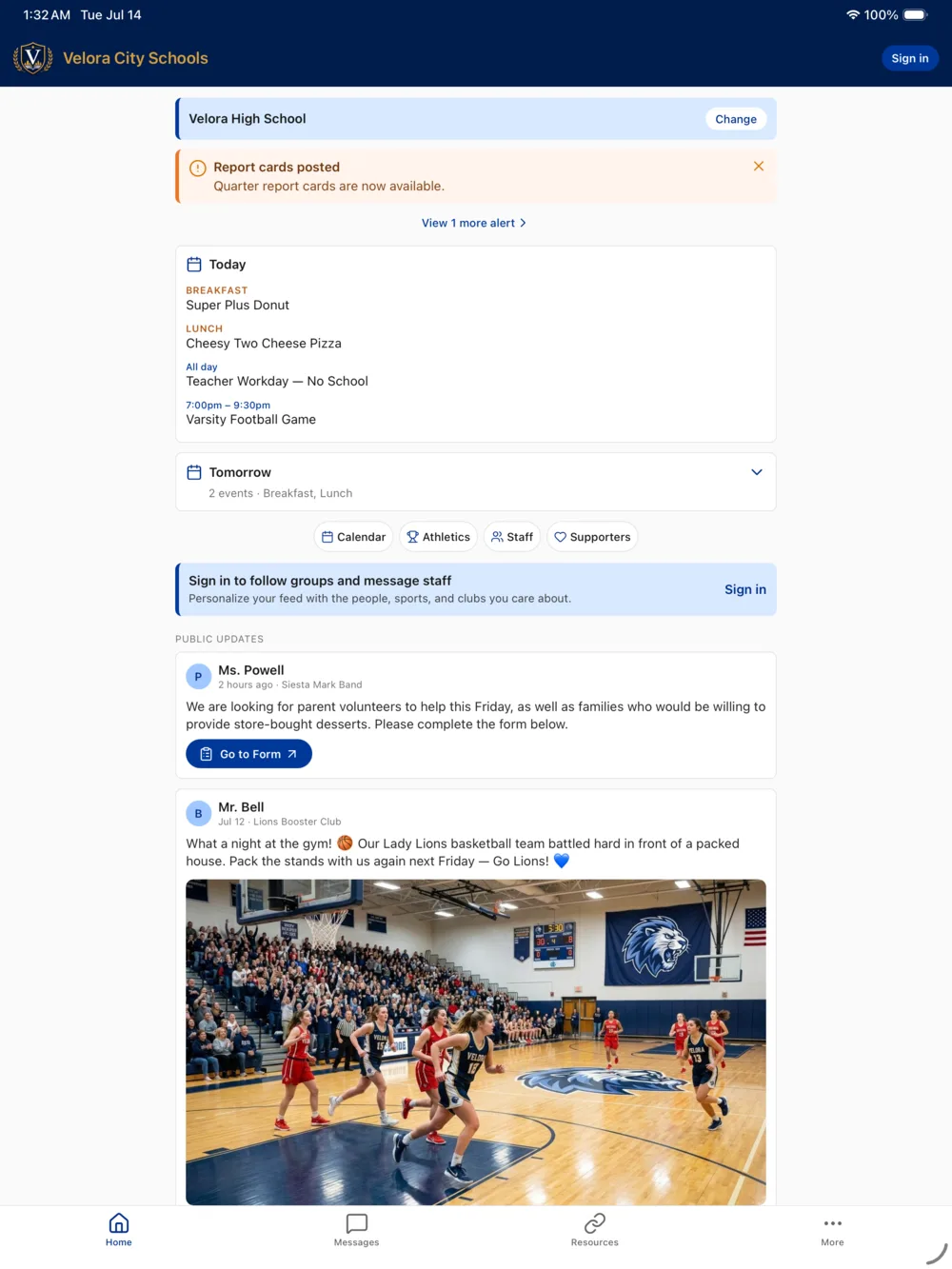
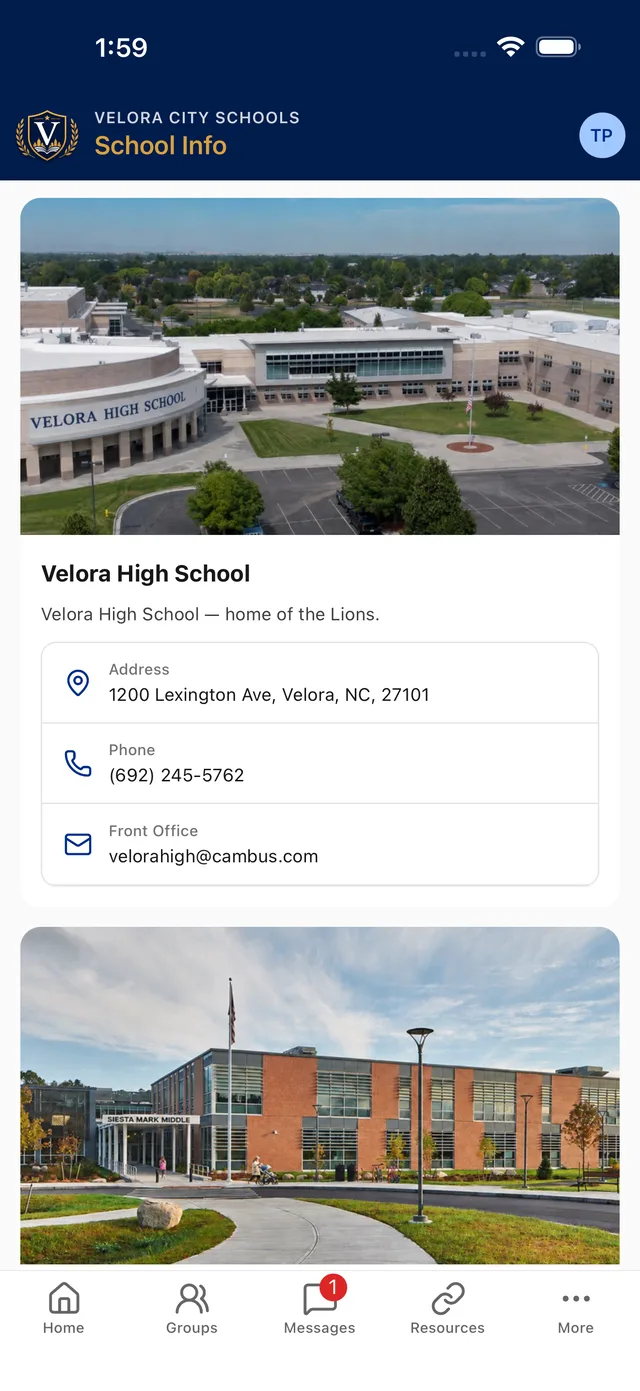
Your school’s name on the icon
Families download your app, with your logo, colors, menu and labels, from the App Store and Google Play. We build it, publish it and keep it current.
- Multi-school districts: families switch schools without signing in again
- Improvements ship over the air, with no App Store wait
- iPhone, iPad, Android phones and tablets, in light or dark mode
- Dynamic Type, VoiceOver and TalkBack supported

yourschool.schoolcourier.app
At a desk, it’s the same app in a browser
Teachers and office staff post, message and run their groups and calendars from a laptop or Chromebook, at your school’s own address.
- One account in both places: your groups and permissions follow you
- Write longer posts, paste from a document, attach photos from the computer
- Nothing to install or update, and no IT rollout
- A one-time human check keeps bots, crawlers and search engines out

Loogootee, Indiana
“This app has been a lifesaver and has brought rave reviews in our community.”

Josh Thompson
Athletic Director & Assistant Principal
Loogootee moved scattered updates, announcements and team information into one school-controlled app, then used the built-in supporter tools to pay for it: $25,000+ raised in just a few months, 100% retained by the school.
What administrators tell us
“School Courier has truly streamlined how we communicate with our families. Our admins can send ‘Mass Alerts’ instantly in whatever format they need, and our teachers use ‘My Feed’ to share daily updates, photos, announcements, and reminders. We’ve never felt more connected as a school — parents appreciate having everything in one place, and we love having our own app!”

Christie Strong
Principal | Asst. Superintendent, Texas
“Our families finally have one place they trust for school news — and our staff spend a fraction of the time getting the word out. Parents tell us it’s the first thing they check each morning, and our teachers love how quickly they can share what’s happening in their classrooms.”

Dr. Hamilton
Superintendent
Social-style updates, without social media
Families already know how to use a feed. School Courier keeps that ease and leaves the rest of social media behind.
What families get
- Quick, visual updates from the classrooms, teams and clubs they choose
- Photos, reminders, celebrations and news in one place
- A feed they shape themselves, with a bell to mute any group
- Comments inside a group, where family comments wait for a leader’s approval
What stays out
- No public comment threads and no reply-all pile-ons
- No algorithm deciding what families see
- No ad networks competing for attention
- No school photos indexed by search engines
Everything that’s included
The whole list, for the person on your team who will ask. Each one is explained on the features page.
Communication & feed
A feed each family shapes for themselves, and the tools staff need to fill it well.
Calendar, sports & school info
The everyday questions, answered in the app instead of at the front office.
Messaging & alerts
Three channels, each controllable: mass alerts, group posts and direct messages.
Security & platform
Built so the school decides who gets in, who can post, and who can reach whom.
Web app
Teachers and office staff can do everything from a computer, with nothing to install.
Devices & accessibility
Works on what your families and staff already carry.
For staff & school leaders
Delegate posting to the people closest to the news without giving up the final say.
Rollout & support
We do the launch work, and you can always reach the people who build the app.
Live in about two weeks
We handle the heavy lifting and you get the credit. Staff training is included.
-
Tell us about your school
A short conversation about your schools, teams and how you communicate today. We map your groups and roles with you.
-
We build and brand it
Your logo, colors and splash screen on iOS and Android. We publish to the App Store and Google Play and train your staff.
-
Families join in seconds
Passwordless sign-in takes about 20 seconds. Families follow the classrooms, teams and clubs they care about, and your feed comes alive.
Not ready to talk yet? Download the App Decision Guide (PDF). No form, no follow-up.
Questions school leaders ask first
Something else on your mind? Call (812) 727-7288 for a quick conversation with a former educator.